TabTitles
Rename any tab temporarily. Distinguish 10 Google Docs, 15 GitHub tabs, 20 Jira tickets. One click, done.
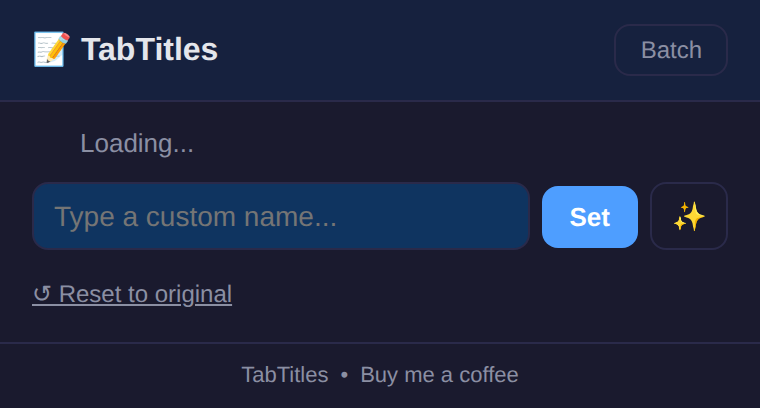
Rename any tab — click icon, type name, done
Persists across page reloads on same origin
Auto-suggest names based on page content
Reset to original title with one click
Batch rename — rename multiple tabs at once
100% local — chrome.tabs API, no servers
TabTitles lets you rename any browser tab temporarily. Click the icon, type a name, and the tab title updates instantly. Perfect for distinguishing between multiple tabs of the same site.
How it works
- Click the TabTitles icon in your toolbar
- Type a custom name for the current tab
- Tab title updates instantly — visible in the tab bar
- Reset — click the reset button to restore the original title
Privacy
TabTitles doesn’t collect any data. No analytics, no tracking, no telemetry.
Tab names are stored in chrome.storage.local and never leave your browser.
Free forever
TabTitles is 100% free. All features are available to everyone. There are no premium tiers, no locked features, no usage limits. If you enjoy it, you can buy me a coffee — but there’s zero pressure.
How would you rate TabTitles?
Click a star to vote — no account needed.
Frequently asked questions
Is TabTitles really free?
Yes, 100% free. No premium tiers, no locked features.
Does the rename persist if I navigate to another page?
The rename persists on the same origin (same site). If you navigate to a different site, the title resets to the new page's title.
Does TabTitles sync my tab names?
No. Tab names are stored locally in chrome.storage.local. No cloud, no sync, no accounts.
Can I rename multiple tabs at once?
Yes. The popup shows all open tabs — you can rename several without opening each one individually.