JSONifier
Auto-detects JSON on .json URLs and formats it beautifully. Syntax highlighting, collapsible nodes, copy button. Like a built-in JSON viewer.
How to install manually (2 minutes)
- Download the ZIP above and unzip it (right-click → Extract all).
- Open
chrome://extensionsin your browser. - Turn on Developer mode (top-right toggle).
- Click Load unpacked and select the unzipped folder.
The extension stays local — it never phones home and it never updates itself.
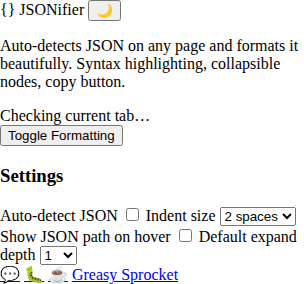
Features
Only activates on .json URLs — doesn't touch other pages
Auto-detects JSON content — no manual triggering
Syntax highlighting with color themes
Collapsible/expandable nodes for nested objects and arrays
Copy formatted JSON button
Raw/formatted toggle — switch between views
Path display — hover any node to see its JSON path
100% local — no servers, no tracking
JSONifier auto-detects and formats JSON on .json URLs. Syntax highlighting, collapsible nodes, copy button. No more raw JSON walls.
How it works
- Visit a .json URL that returns JSON (like a REST API endpoint)
- JSONifier detects the JSON content automatically
- Formatted view appears — syntax highlighting, collapsible nodes
- Toggle raw/formatted — switch between views anytime
- Copy button — copy formatted JSON to clipboard
Privacy
JSONifier doesn’t collect any data. No analytics, no tracking, no telemetry. All formatting happens in your browser — no content is sent to any server.
Free forever
JSONifier is 100% free. All features are available to everyone. There are no premium tiers, no locked features, no usage limits. If you enjoy it, you can buy me a coffee — but there’s zero pressure.
How would you rate JSONifier?
Click a star to vote — no account needed.
Frequently asked questions
Is JSONifier really free?
Yes, 100% free. No premium tiers, no locked features.
How does JSONifier detect JSON?
JSONifier only activates on URLs ending in .json. When you visit a .json URL, it automatically detects and formats the JSON content.
Does JSONifier work with API responses?
Yes. If you visit a URL that returns JSON directly and ends in .json (like a REST API endpoint), JSONifier formats it automatically. No need for a separate JSON viewer extension.
Does JSONifier modify the original JSON?
No. JSONifier creates a formatted overlay. The original JSON is untouched — you can toggle between raw and formatted views anytime.
Does JSONifier track what I'm viewing?
No. JSONifier doesn't collect any data. No analytics, no tracking. All formatting happens in your browser.